Remko Weijnen's Blog (Remko's Blog)
About Virtualization, VDI, SBC, Application Compatibility and anything else I feel like
11,630 views
Recently I stumbled upon an executable that appeared to be a PowerShell script converted into an executable.
I was curious to the actual script so I decided to have a look and see how I could convert the executable back into PowerShell.
Having seen similar techniques to turn vb scripts and java jar’s into executables I first looked if this particular executable was simply carrying the payload in the resource section.
I opened the executable with Resource Hacker and saw 2 resources (note that I am using a simple HelloWorld executable here in the screenshots). The first resource, named 1, is clearly a Unicode string with the title:

Resource Hacker – HelloWorld.exe
Just a very quick post (more like a note to self) but I wanted to split a string with the $ sign in PowerShell:
1 | 'one$two$three$four$five' -split '$' |
Took me a little while to realize that this doesn’t work as the split operator in Windows PowerShell uses a regular expression in the delimiter, rather than a simple character.
The easy fix is to Escape the $ sign with a backslash:
1 | 'one$two$three$four$five' -split '\$' |
Or alternatively use the SimpleMatch option:
1 | 'one$two$three$four$five' -split '$', 0, "SimpleMatch" |
The 0 represents the “return all” value of the Max-substrings parameter. You can use options, such as SimpleMatch, only when the Max-substrings value is specified.
 Both Google Earth and Google Earth Enterprise do not work correctly for multiple users on shared Hosted Shared Desktops (I still prefer to call it Server Based Computing but that’s likely because I’m an oldtimer).
Problem summary
So let’s look at the actual issue: the first user on a server is able to launch Google Earth but for any subsequent users on the same server Google Earth fails silently.
Problem details
Google Earth uses various synchronization objects such as Events and Mutexes but registers those in the \Global namespace instead of the \Local namespace.
 Recently I switched over my blog from a hoster to a self hosted VM. In my setup I am using Citrix NetScaler as a reverse proxy.
Simular to when you’re using a 3rd party reverse proxy such as CloudFlare you will see the IP address from the reverse proxy instead of the actual Client IP Address on your webserver.
This means that your logging will all show the same, internal, IP address and that IP Based Access Rules will not work.
Fortunately this is easy to solve by having NetScaler add the Client IP Address in the headers and rewriting the address on your webserver.
When I started this blog in 2007 (wow that’s almost 10 years ago) I went for a cheap web hoster with a reasonable performance to host it.
In the beginning performance was acceptable but over the years it has degraded and of course user experience standards have changed.
I decided it was time to do something about it so I’ve moved the blog from a shared platform to my own server.
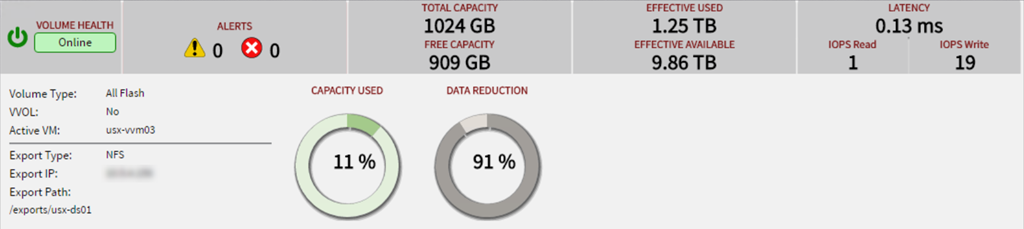
This server is running on optimized flash storage where most writes are DeDuplicated and never actually hits the flash disks:
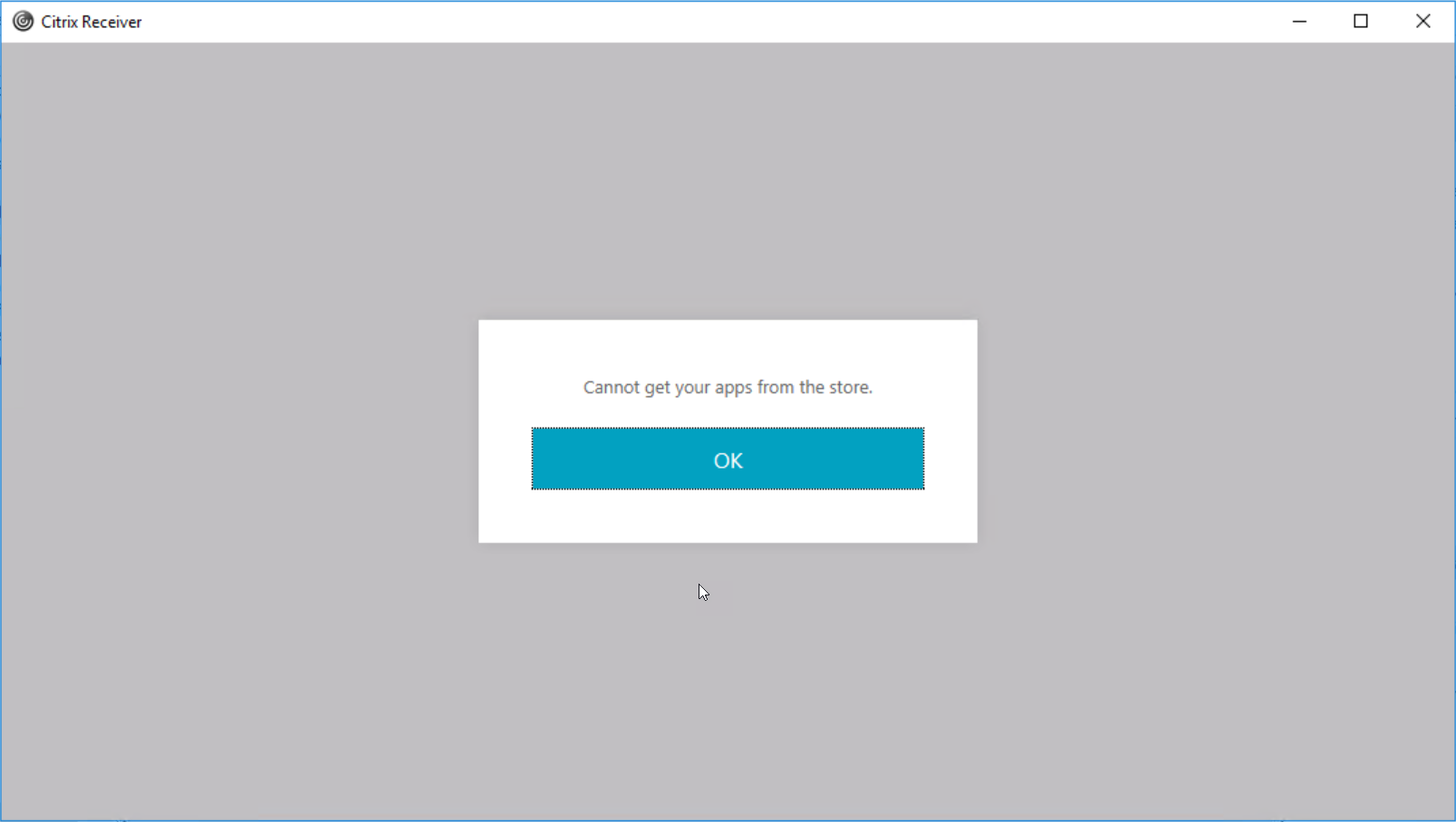
Citrix Receiver and StoreFront error messages are sometimes confusing or lacking details so I decided to make little blog notes about common issues when I see them. So without further ado here’s #1:
In Citrix Receiver I tried to logon remotely via NetScaler Gateway and got the following error message: “Cannot get your apps from the store”
Citrix Receiver
If you try to enable “Developer mode” on the VW Discover Pro navigation with VCDS you will get the following error: “Request out of range:”
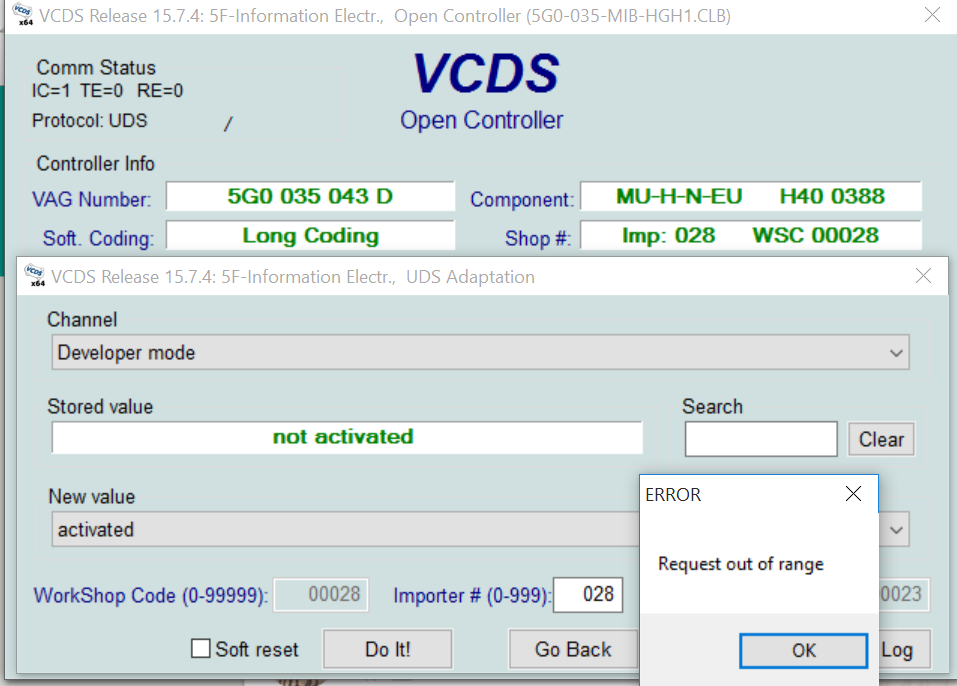
This happens because VCDS uses a type 0x02 (Programming) session but this adaptation needs type 0x4F (Developer) session.
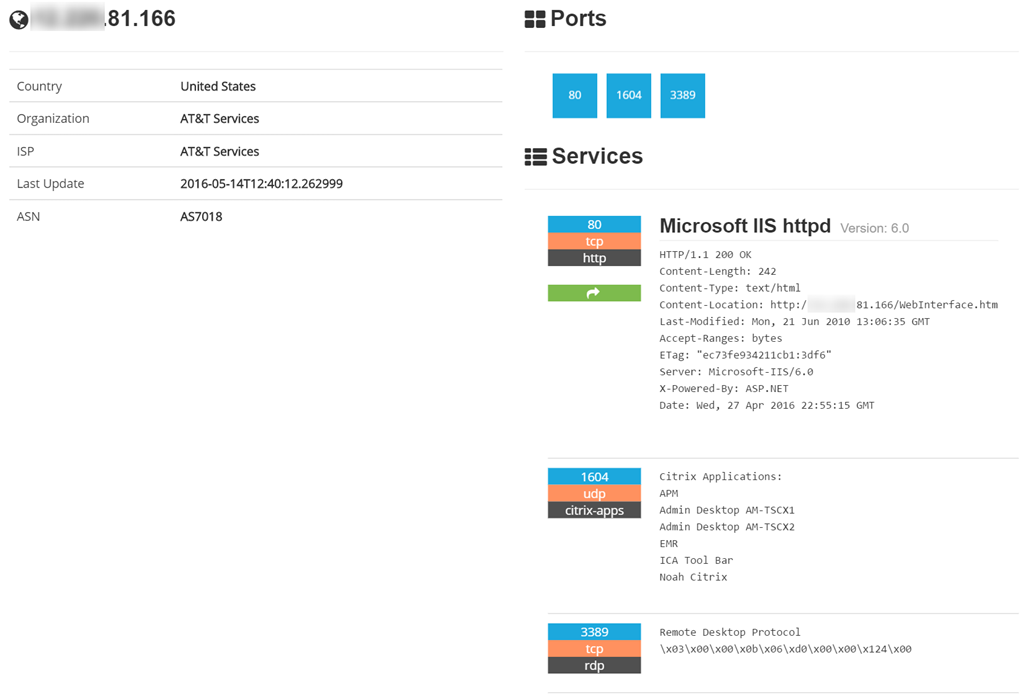
Today I stumbled upon Shodan, a search engine for devices and services.
I decided to search for Citrix and this was the first page of results: 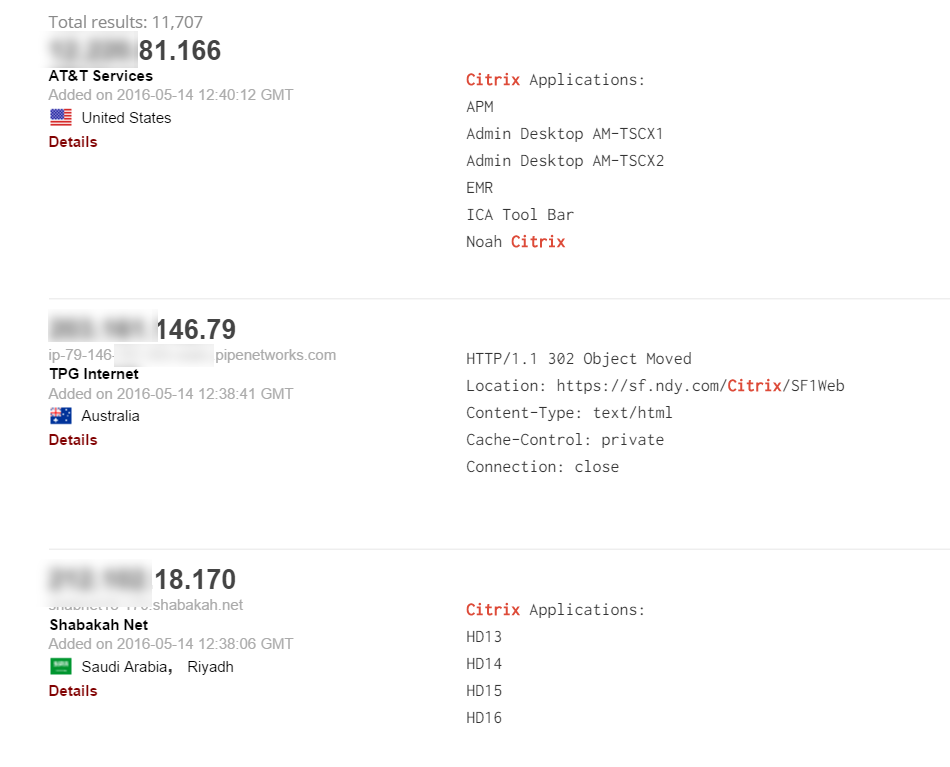
It’s interesting to see that we get details such as the name of published applications. But it’s possible to get even more details:
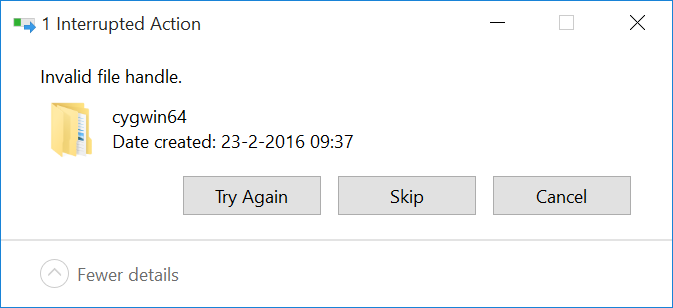
When I was trying to delete a folder from my local harddrive (cygwin64 in my case) I got the following error message: “Invalid file handle.“:
I then attempted to delete the folder from the command prompt which failed as well with an “Access is denied” error:


There has long been a debate about how to accurately view the size of your Citrix Provisioning Services ram cache size. SO much so that even Citrix clarified on how to view this detail using yet another tool
The thing is, this is all fine and well, but it’s a bit of a pig to actually get this data when you need it, or in an automated way. Wouldn’t it be better if we could have something easier?
Lately, Andrew Morgan and I decided to sit down and create an easy to use, Windows performance counter for the key metrics in a PVS cache and provide them to the community for use.
These counters turned out to be fascinating, as they really show how the cache works.
Our latest counters (which can be downloaded below) provide the following counters for easy access:
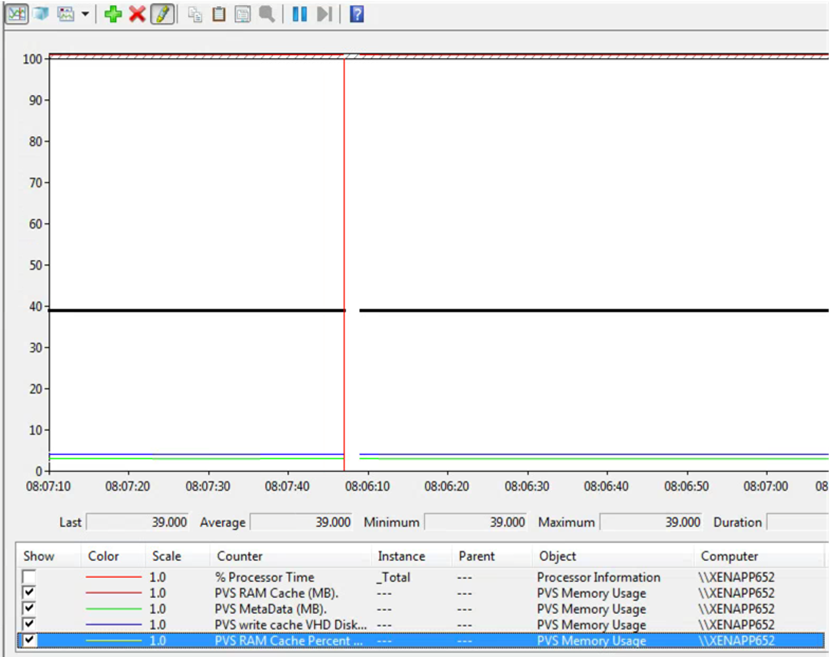
- PVS Ram cache size (MB)
- PVS metadata size (MB)
- PVS Write Cache VHD disk size (MB)
- PVS Ram Cache Percent used. *
* As there is no accurate way to detect how much ram is assigned to cache via Citrix Provisioning services, this value must be provided or this performance counter is missing.
Profile



Top Posts
- Query Active Directory from Excel
- RNS 510 Startup Logo–My thoughts
- Adding a hidden Exchange mailbox to Outlook
- How rdp passwords are encrypted
- Get Actual CPU Clock Speed with PowerShell
- ClickOnce Applications in Enterprise Environments
- VW RNS 510 Navigation Startup Pictures
- Unattended Installation of IBM System i Access for Windows
- Reading physical memory size from the registry
- Show Client IP Address when using NetScaler as a Reverse Proxy
Recent Comments
Featured Downloads
- AClientFix (13595 downloads )
- AddPrinter2.zip (12854 downloads )
- AdProps (12379 downloads )
- AdSample1 (11432 downloads )
- AMD Radeon Crimson ReLive (29488 downloads )
- Atheros Driver (34019 downloads )
- AutoLogonXP 1.0 (11404 downloads )
- CDZA (9560 downloads )
- ChDrvLetter.zip (11217 downloads )
- ChDrvLetter.zip (14356 downloads )
Blogroll
- Andrew Morgan
- Arnout’s blog
- Assa’s Blog
- Barry Schiffer
- Delphi Praxis
- Ingmar Verheij
- Jedi Api Blog
- Jedi API Library
- Jeroen Tielen
- Kees Baggerman
Categories
- .NET (4)
- Active Directory (28)
- Altiris (36)
- App-V (1)
- Apple (5)
- Application Compatibility (11)
- Automotive (5)
- AWS (1)
- BootCamp (1)
- C# (6)
- C++ (2)
- Citrix (87)
- Delphi (61)
- Embedded (4)
- Exchange (16)
- General (71)
- iPhone (5)
- Java (8)
- Linux (1)
- Lync (2)
- NetScaler (1)
- Oracle (4)
- Other (1)
- Packaging (19)
- PowerShell (56)
- Programming (79)
- Quest (1)
- RES (7)
- script (22)
- ShareFile (1)
- SQL Server (10)
- Strange Error (3)
- Terminal Server (68)
- ThinApp (3)
- ThinKiosk (1)
- Ubuntu (1)
- Unattended Installation (19)
- Uncategorized (51)
- UWP (2)
- Vista (37)
- Visual Studio (1)
- VMWare (26)
- Windows 10 (2)
- Windows 2003 (30)
- Windows 2008 (37)
- Windows 2008 R2 (16)
- Windows 2012 (2)
- Windows 7 (30)
- Windows 8 (4)
- Windows Internals (12)
- Windows XP (16)
Archives
- February 2023 (1)
- October 2022 (3)
- July 2022 (1)
- June 2022 (2)
- October 2019 (1)
- March 2018 (1)
- January 2018 (4)
- December 2017 (3)
- April 2017 (1)
- March 2017 (5)
- February 2017 (4)
- May 2016 (3)
- March 2016 (1)
- October 2015 (2)
- September 2015 (1)
- January 2015 (1)
- August 2014 (1)
- July 2014 (8)
- May 2014 (1)
- November 2013 (1)
- October 2013 (2)
- September 2013 (3)
- August 2013 (4)
- June 2013 (2)
- May 2013 (3)
- April 2013 (5)
- March 2013 (5)
- February 2013 (1)
- January 2013 (5)
- December 2012 (9)
- November 2012 (3)
- October 2012 (3)
- August 2012 (4)
- July 2012 (2)
- June 2012 (1)
- May 2012 (6)
- March 2012 (13)
- February 2012 (12)
- January 2012 (9)
- December 2011 (9)
- November 2011 (4)
- October 2011 (5)
- September 2011 (10)
- August 2011 (10)
- July 2011 (2)
- June 2011 (8)
- May 2011 (12)
- April 2011 (4)
- March 2011 (14)
- February 2011 (8)
- January 2011 (32)
- December 2010 (23)
- November 2010 (19)
- October 2010 (10)
- September 2010 (6)
- August 2010 (1)
- July 2010 (1)
- June 2010 (6)
- March 2010 (7)
- February 2010 (3)
- December 2009 (3)
- November 2009 (11)
- September 2009 (2)
- July 2009 (1)
- June 2009 (5)
- May 2009 (1)
- April 2009 (2)
- March 2009 (3)
- February 2009 (6)
- January 2009 (3)
- December 2008 (8)
- November 2008 (5)
- October 2008 (3)
- September 2008 (3)
- August 2008 (3)
- June 2008 (6)
- May 2008 (2)
- April 2008 (3)
- March 2008 (5)
- January 2008 (3)
- December 2007 (3)
- November 2007 (13)
- October 2007 (10)